SH-MAX includes a four-channel, 16-step sequencer (inspired by the System 100 Model 104) that can run as a longer pattern by chaining channels into 16-, 32-, or 64-step cycles. Each channel can be independently enabled, set to its own step length, assigned a playback mode, and routed to Pitch, VCF cutoff, BPF cutoff, or Volume. When you use Chance and Feel per channel, plus global Swing, you’ve got a sequencer that can do everything from tight Berlin-school patterns to almost human long-form generative cycles.
To display the Sequencer, click the MOTION tab at the lower left of the panel UI.
Features
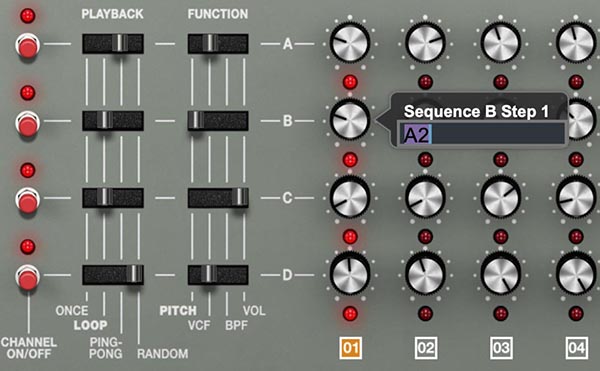
The sequencer has four channels: A, B, C, D.
Each channel contains up to 16 steps.
Each step stores a value, routed by the channel’s FUNCTION switch:
-Pitch (oscillator pitch, C2–C5)
-VCF (low-pass filter cutoff)
-BPF (band-pass filter cutoff)
-Vol (amplitude level)
Channels run in parallel, so you can sequence Pitch on one lane while another lane animates the filter and a third lane gates volume.
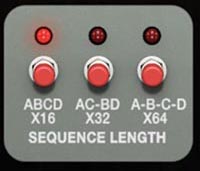
SEQUENCE LENGTH buttons determines how channels combine into a longer composite cycle (16 / 32 / 64 steps).
As a plugin, the SH-MAX sequencer can output the MIDI notes it generates to a DAW timeline, provided that the DAW supports recording MIDI output from a plugin. Please refer to your DAW's documentation to determine whether it supports this feature and how to set it up. We recommend using the VST3 version of the plugin, as it tends to have broader compatibility (use AU in Logic Pro and MainStage).
Clocking and Sync
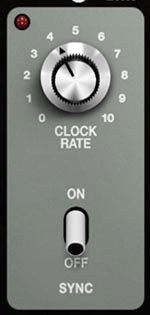
CLOCK RATE sets playback speed when SYNC is Off. SYNC determines where the sequencer clock comes from:
SYNC On: locks to SH-MAX’s master tempo (and therefore your DAW tempo when host-synced). CLOCK RATE no longer controls tempo.
SYNC Off: runs on the sequencer’s internal clock, controlled by CLOCK RATE.
Tip: SYNC On is for “hit play, it lands on bar lines.” SYNC Off is for drifting, phasey motion that can feel more organic.
Gate Time
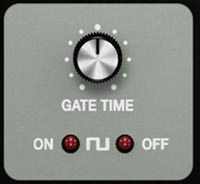
GATE TIME sets how long each step stays “open” before it releases.
Turning the knob clockwise shortens gate time.
Longer gate times feel more connected/sustained.
Shorter gate times feel tighter and more percussive, especially for Pitch and Vol sequences.
Tip: If a pattern feels too jagged, tweak Gate Time before rewriting steps.
Sequence Length (16 / 32 / 64)
SEQUENCE LENGTH sets the overall maximum cycle length by determining how channels A–D combine into a longer repeating pattern:
ABCD ×16: 16-step overall cycle
AC–BD ×32: 32-step overall cycle
A–B–C–D ×64: 64-step overall cycle
This is the sequencer’s macro form. It doesn’t change the per-channel step knobs directly. It changes how the channels contribute to the overall structure.
Tip: If you want evolving patterns that take a long time to repeat, use ×64 and set different step lengths per channel.
Channel Steps (A–D)
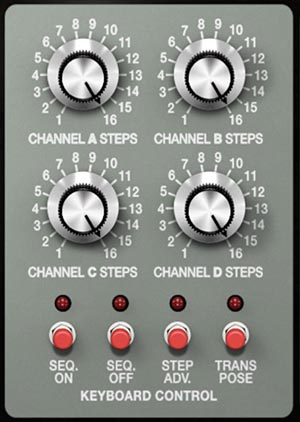
CHANNEL STEPS A / B / C / D set each channel’s step count from 1–16.
Shorter lengths repeat sooner.
Different lengths create shifting relationships between lanes, which is an easy path to generative patterns without using Random.
Generative Sequence Example:
Channel A = 15 steps, Channel B = 12 steps, Channel C = 11 steps, Channel D = 7 steps
Set all channels to Loop and let the pattern evolve.
Keyboard Control
Seq On/Off – Starts or stops playback with a key press.
Step Adv – Advances one step per key press—useful for manual sequencing or experimental rhythms.
Transpose – Shifts the running sequence up or down in pitch, letting you “play” the sequence like an instrument. This feature has low note priority. In practice, that means the sequence will lock to the lowest key you’re holding. Hold a low key and the sequence anchors itself there, even if you’re playing chords or leads on the other layer. It’s an easy way to run a transposable bass line underneath a polyphonic part without the sequence jumping around unless you actually release that lowest note.
Channel On/Off
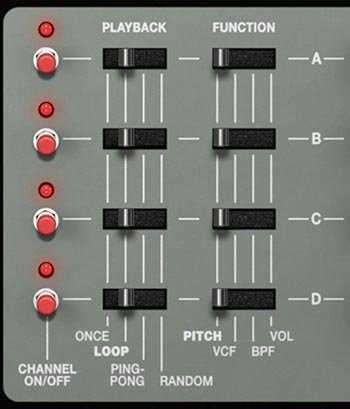
CHANNEL ON/OFF buttons enable or disable their respective channels.
Disabling a channel removes it completely, which is useful when building a pattern one lane at a time.
Playback (per channel)
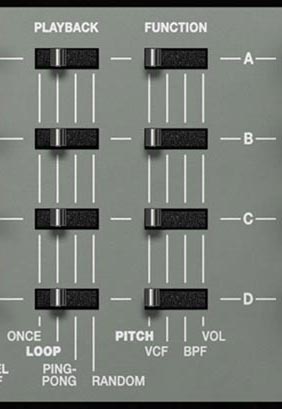
Each channel has a PLAYBACK switch that sets its step order:
Once: plays through once and stops (no looping)
Loop: repeats continuously
Ping-Pong: plays forward then backward continuously
Random: plays steps in random order
Tip: Random is usually most musical on VCF, BPF, or Vol. If you use Random on Pitch, constrain your pitch steps to a small note set.
Function
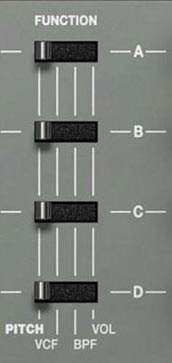
Each channel’s FUNCTION switch chooses the destination:
Pitch: oscillator pitch (C2–C5)
VCF: low-pass filter cutoff frequency
BPF: band-pass filter cutoff frequency
Vol: amplitude level
Tip: A classic setup is Pitch on one lane, VCF or BPF on another, and Vol on a third for accents or rhythmic gating.
Step knobs and note entry
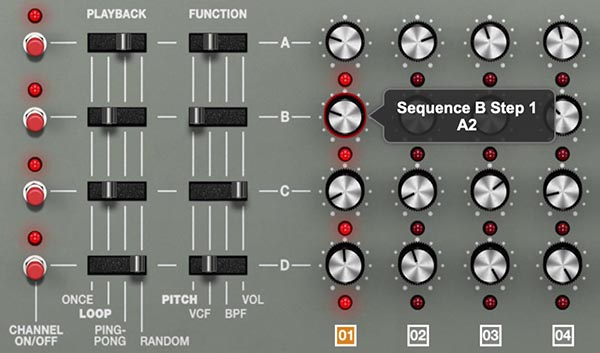
Each channel includes 16 step knobs that define the value for each step.
Turning a step knob displays its current value.
Pitch steps show note names and span C2–C5.
To enter an exact pitch quickly:
Double-click a Pitch step knob, type a note (for example F#2), then press Enter.
Tip: For melodic sequences, start with fewer distinct notes than you think you need. A tight note palette plus filter motion usually sounds more intentional than wide, jumpy intervals.
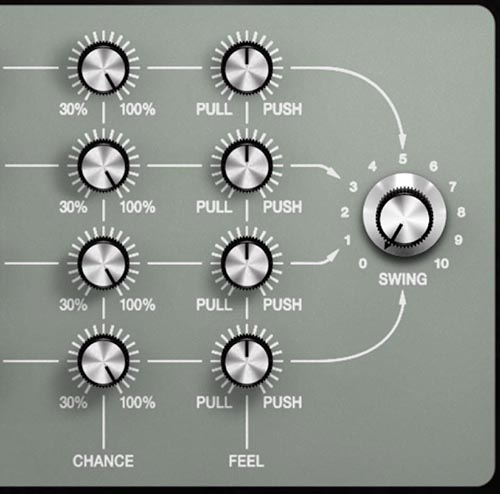
Chance
Sets the probability that steps will play.
100%: every step plays
Lower values: steps are increasingly likely to be skipped
CHANCE does not randomize values. It selectively skips steps, creating variation while preserving your programmed pattern.
Practical ranges:
90–100%: subtle variation
60–90%: lively, musical generative motion
30–60%: aggressive “broken machine” behavior (great for filter or volume lanes)
Tip: Put Chance on a modulation lane (VCF/BPF) before Pitch. Skipped filter moves read as expressive. Skipped melody steps can read as accidental.
Feel
Shifts timing per channel:
Pull: steps land slightly behind the beat (laid-back)
Push: steps land slightly ahead of the beat (urgent)
Because Feel is per channel, you can offset lanes against each other (Pitch neutral, Vol pushed, Filter pulled) for a more “performed” groove.
Tip: If Swing is strong, keep Feel subtle. If Feel is strong, keep Swing subtle. Too much of both can make timing feel unstable.
Swing (global)
Applies shuffle to the sequencer timing, creating a long-short feel rather than straight, even steps. Swing is global, affecting the overall timing feel.
Tip: Swing is especially effective when Volume sequencing is active, because the rhythmic accents become obvious fast.
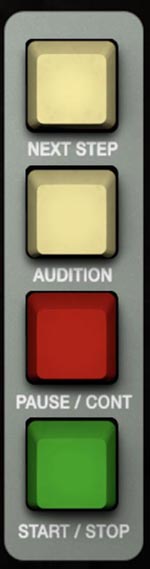
Audition
AUDITION plays the currently selected step position, triggering all channels at that position. This makes Audition ideal for checking the combined result of Pitch + filter + volume on a single step.
Next Step
NEXT STEP advances the global step position by one step while playback is stopped. This advances the position for all channels, keeping the composite state intact.
Tip: Use Next Step + Audition as a step focus. Step through the pattern and fix the one step that’s a problem.
Pause/Continue and Start/Stop
PAUSE/CONT: stops playback and resumes from the exact prior location. It does not realign anything, even with different channel lengths or playback modes. All channels pick up exactly where they left off. START/STOP: starts playback from the beginning of the sequence (step 1) and stops when pressed again.
Tip: Pause/Cont is for performance-style stopping and resuming mid-pattern. Start/Stop is for clean restarts on a downbeat.
Sequencing Tips
Make one lane the song, and one lane the tonal and rhythmic variations.
-Pitch (notes) usually works best as the song (repeatable melody).
-VCF/BPF and Vol make great variation lanes (motion, accents, variation).
Use different channel lengths first, Random second. Different step counts create evolving patterns.
Random becomes musical when you limit the palette. If Random is on Pitch, keep steps constrained to a small note set.
Use Vol as more than a gate. It can create accents, implied sidechain-style pumping, and dynamic contour that shows filter movement.
Ping-Pong is instant variation. If a lane repeats too obviously, Ping-Pong often fixes it without editing.
Audition in context. Since Audition triggers all channels at the selected step, it’s the fastest way to refine individual steps.
Examples
Classic melodic sequence + animated filters
Channel A: Pitch, Loop, 16 steps
Channel B: VCF, Loop, 12 steps
Channel C: BPF, Ping-Pong, 7 steps, Chance 60–80%
Channel D: Vol, Loop, 8 steps
Add subtle Swing and a slight Pull on the filter lane for a more performed feel.
Rhythmic character lane (BPF)
Choose a channel (C works well): BPF, Random
Keep most steps mid-range with a few high spikes
Chance: 50–80%
Feel: slight Push
Gate Time: shorter for crisp motion
Volume lane as a “ghost drummer”
Channel D: Vol, Loop, 15 steps
Mix near-zero, mid, and high steps for rests and accents
Chance: 70–90%
Add subtle Swing for groove
Long-form generative cycle
Set SEQUENCE LENGTH to ×64
Set different channel lengths (try 13 / 11 / 9 / 7)
Put Chance on at least one modulation lane
Keep Pitch values constrained to a small note set to maintain musical identity