Vibrato and Controllers
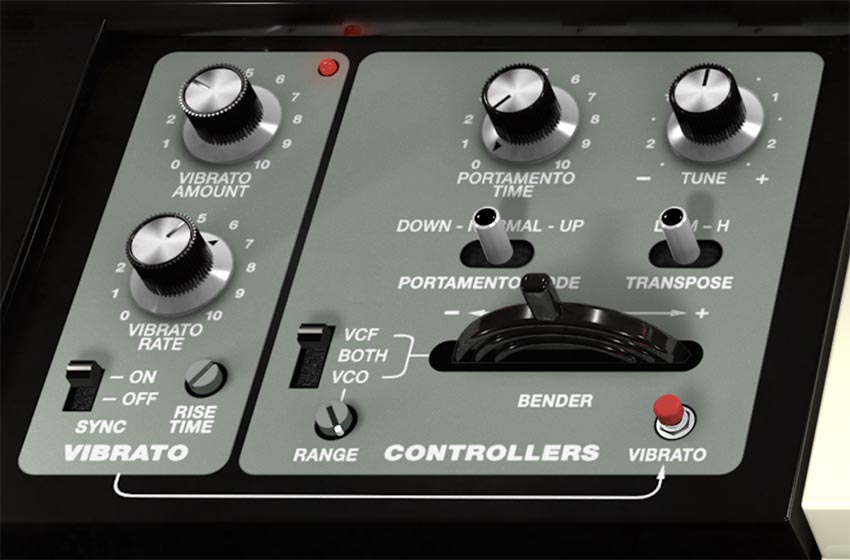
This corner of the front panel is all about performance: vibrato you can dial in (or punch in), pitch bends that can also “bend” the filter, plus glide, transpose, and fine tuning. It’s where SH-MAX stops being a static patch and starts acting like an instrument.
Vibrato
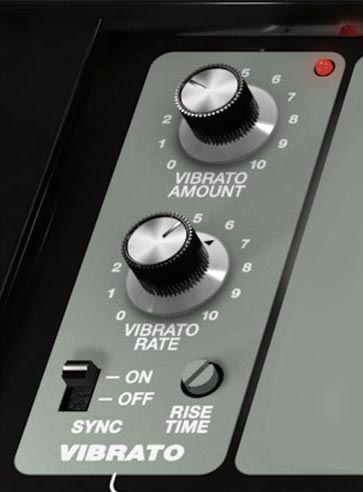
The Vibrato section provides classic LFO-based pitch modulation, with a musical “delay” so vibrato can fade in after the attack instead of starting immediately.
Vibrato Amount Sets vibrato depth (how wide the pitch wiggle is). Lower settings add gentle, human motion. Higher settings get dramatic fast, great for stylized leads and special effects.
Vibrato Rate Sets vibrato speed. Slower settings feel vocal-like and expressive. Faster settings move into warble, and sci-fi territory.
Rise Time (Vibrato Delay) Sets how long it takes for vibrato to begin after it’s triggered. Turn it clockwise for a longer delay before vibrato fades in. This is a classic lead-player feature: you can keep the attack clean and stable, then let vibrato bloom a moment later.
Tip: Use a short Rise Time for subtle “player vibrato” that arrives almost immediately. Use longer Rise Time for dramatic phrasing, where sustained notes start straight and then develop intensity.
Sync (On/Off) Sync forces the vibrato LFO to start from a consistent phase so the first movement is predictable (useful for repeatable attacks and tight sequences).
Controllers
Bender
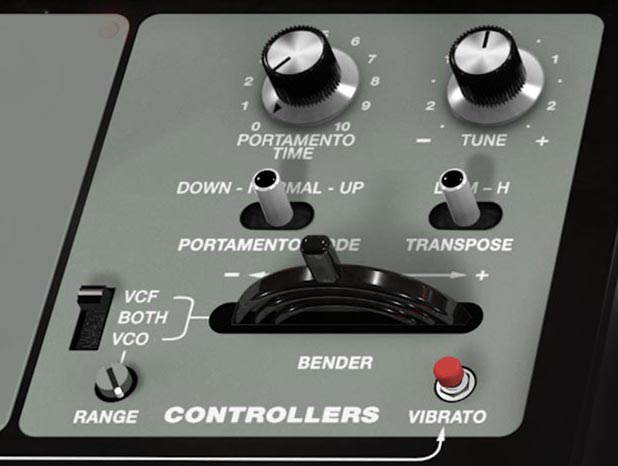
The Bender control lets you bend notes sharp or flat for expressive playing: dives, scoops, guitar-like bends, and classic synth lead phrasing.
Range sets the bend range applied by the Bender. Maximum range is 1 octave. The destination switch decides what the bender controls:
VCO: pitch bend (classic behavior).
VCF: filter bend (manual filter sweeps without changing pitch).
BOTH: bends pitch and sweeps the filter together for bigger, more dramatic gestures.
Portamento Time Sets the glide time between notes. Higher values create slower, more obvious slides. Lower values keep it quick and subtle.
Portamento Mode (Down / Normal / Up) Controls when portamento happens, based on whether your melody moves up or down:
Normal: glide happens both up and down.
Down: glide happens only when you move to a lower note. Upward moves snap immediately.
Up: glide happens only when you move to a higher note. Downward moves snap immediately.
Up mode is great for scoops into notes without smearing downward movement. Down mode is great for controlled falls and end-of-phrase drops without making every upward interval slippery.
Transpose (L / M / H) Shifts the keyboard range by octaves: L: one octave down M: no transpose H: one octave up
Tune (± 1 semitone) Fine-tunes SH-MAX’s overall pitch. Use it to match other instruments in the session, to compensate for recordings that aren’t perfectly tuned, or to deliberately offset SH-MAX slightly when layering for extra width.
Vibrato Button Applies vibrato when clicked, using the current Rate and Amount settings in the Vibrato section.